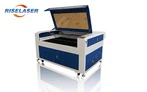
Handheld welding machine startup prsocess
Open the air valve → open the air switch at the rear side of the equipment → release the panel emergency stop button → turn the key to the right to turn on the system power → press the power button for launching the machine → press the laser power button and wait for 20 seconds before using.
Handheld welding machine welding process
Clamp the welding protection chuck on the worktable; Check whether the process parameters are required for the current welding workpiece; Click the "Open Valve" button on the control system interface to check whether the blowing flow meets the welding requirements; Click the "Start" button on the control system interface to test whether the light protection circuit works normally (align the gap of the welding head with the surface of the test plate, press the light emitting button, and it is normal if no light is emitted; contact the welding head with the surface of the test plate, and press the light emitting button, and the light is normal); Welding can be started after the inspection is correct.
Handheld welding machine shutdown process
Place the welding head on the welding head holder, click the "Stop" button on the control system interface, turn off the laser power button → turn off the water machine power button → turn the system power key to the left and pull it out → press the emergency stop button → turn off the air switch at the rear of the equipment → turn off the air valve.
Attention points
1. Radiation goggles, masks and safety protective clothing must be worn to ensure the safety of workers.
2. It is prohibited to use it together with arc welding machines (argon arc welding, electric welding, carbon dioxide shielded welding machines) to prevent current backflow from affecting laser components.
3. The welding joint must not be aligned with any part of the body during use. Do not put the welding joint on the ground, and pay attention to dust prevention at all times.
4. During welding, the bending radius of the optical fiber corrugated pipe shall not be less than 20CM to avoid burning the optical fiber.
5. In case of any accident, press the emergency stop button immediately.
6. If you temporarily stop working, please click "Stop" to enter the standby mode, or click "Stop" to enter the standby mode and then turn off the device.
7. When replacing the protective lens or checking the welding joint, all the equipment power must be turned off.
8. The temperature difference between the refrigerator water temperature and the room temperature is no more than 10 degrees! It is recommended to set the water temperature at 26 ℃ - 30 ℃ in summer and 20 ℃ - 22 ℃ in winter. Excessive temperature difference in the cabinet will cause dewing of the laser components, which will cause damage to the laser. When the room temperature is lower than 4 ℃, antifreeze measures must be taken. Ethylene glycol and purified water can be mixed evenly in a ratio of 1:3 and then added into the water tank.